
2D barcodes · Ambition 2027
GS1 Digital Link QR codes and print-ready labels for brands moving to 2D
A GS1 Digital Link QR code is a QR code whose web address carries your product’s GTIN — and, if you want, batch, expiry date and serial number — in a fixed structure, so the same symbol can be scanned at the checkout and opened by a phone camera. Most “product QR codes” on packs today are not that: they hold a campaign URL, a mistyped GTIN or data in the wrong order, and they still scan, so nobody notices. I build GS1 Digital Link URIs, generate QR codes at the size the GS1 specifications set, prepare print-ready label artwork with the human-readable text, and write the resolver linkset that decides where each scan leads. Every file comes with a validation report and a decode test — and a list of what those checks do not cover.
In short
What I do
- Build GS1 Digital Link URIs from your GTINs and, where you use them, batch/lot (AI 10), expiry date (AI 17) and serial number (AI 21).
- Generate QR codes as vector (SVG) and raster files at a stated X-dimension and with the 4-module quiet zone the GS1 General Specifications require for retail.
- Prepare print-ready label artwork at physical size, with the human-readable text (GTIN, batch, expiry) placed outside the quiet zone.
- Write a resolver linkset (JSON, following the GS1 linkset schema) that sends each scan to the right page: product information, instructions, recall status per batch.
- Check QR codes you already print: decode them, validate the URI and tell you which rule fails.
Not part of this service
- GTIN allocation. GTINs are licensed to your company by GS1 — in Türkiye by GS1 Türkiye, elsewhere by your national GS1 organisation. I use the numbers you hold; I do not issue, lend or resell them.
- Print quality grading. Whether the printed symbol meets the ISO/IEC 15415 quality grade is measured on the printed pack with a barcode verifier, by your printer or a verification service. I check the artwork, not the press.
- Hosting a resolver. I deliver the linkset and the redirect rules; your web developer or a resolver service runs them on your domain.
- Legal labelling content. Which information must appear on your pack (food, cosmetics, medical devices) is for your regulatory adviser. Pharmaceutical track-and-trace codes follow separate rules.
Is this page for you?
This page is for you if one of these describes your situation:
- A retailer or distributor asked for “GS1 QR” or “Digital Link” on your packs, and your agency printed a QR code that leads to your homepage.
- You want one code instead of two: the EAN barcode for the checkout plus a separate marketing QR.
- You print batch or expiry dates and want them readable by machines, for recalls or for stock rotation.
- You are redesigning packaging now and want the 2D code to be right the first time, because it will stay on the pack for years.
Check your own QR code in one minute
Scan the QR code on your pack with a phone camera and read the web address before opening it.
- Look for
/01/followed by exactly 14 digits. That is the GTIN. If it is missing, the code is a plain web link and cannot identify the product at a checkout. - If your barcode number has 13 digits, the GTIN in the address must have a leading zero: 14 digits in total.
- After the GTIN, a batch comes as
/10/…and a serial number as/21/…— in that order. An expiry date belongs after a question mark:?17=YYMMDD. - Words like
/gtin/or/lot/in the address are an older, withdrawn notation. - Around the printed symbol there must be a blank margin at least four squares wide on all sides, and the GTIN should be printed in text near it.
Passing this check does not prove the code is correct: a wrong check digit or an unencoded character does not show on screen, and the phone does not measure the printed size.
Read on for the technical detail. Below: how a GS1 Digital Link URI is built, which physical sizes apply, a measured worked example with ten wrong variants and one correct one, downloadable files, and the Ambition 2027 timeline. To skip ahead, send a photo of one pack and I will tell you what is wrong with its code.
What a GS1 Digital Link QR code is
A GS1 Digital Link QR code is an ordinary QR code containing a web address with a strict structure: a domain of your choice, then GS1 identifiers as path segments. A checkout scanner extracts the GTIN; a phone opens the address; a resolver on your domain decides which page to show.
The URI structure
The rules are in the GS1 Digital Link Standard: URI Syntax (the release history on that page lists version 1.7.0, July 2026). For a product identified by GTIN, the path is /01/ + the 14-digit GTIN, optionally followed by /22/ (consumer product variant), /10/ (batch/lot) and /21/ (serial number) — in exactly that order. The standard states that GTIN-8, GTIN-12 and GTIN-13 “SHALL be expressed as 14 digits, with leading zeroes”. Data attributes such as the expiry date (AI 17, six digits YYMMDD) go into the query string, after the question mark. Batch and serial numbers may be 1 to 20 characters from GS1’s 82-character set; characters like #, /, %, & or ? must be percent-encoded.
The physical rules
For QR codes with a GS1 Digital Link URI scanned at general retail checkouts, GS1’s Symbol Specification Table 1 sets an X-dimension (the size of one square) of 0.396 mm minimum, 0.495 mm target, 0.990 mm maximum, a quiet zone of 4X on all four sides and a minimum print quality of 1.5/12/660 (GSCN 22-309). The symbol’s total size therefore depends on how much data you put into it: a longer address means more squares.
The resolver and the linkset
The domain in the QR code points to a resolver: a web service that looks at the GTIN (and batch or serial) and redirects to the right page. The GS1-Conformant Resolver Standard (release 1.2.1, August 2026) describes it; when a client asks for the full list of links, the resolver returns a linkset in the JSON format of RFC 9264. That linkset is where you define “product page in Turkish”, “instructions as PDF” or “recall status of batch X”.
Where implementations usually go wrong
Not in the QR code itself — any generator makes a readable QR. It goes wrong in the address: a marketing URL with no GTIN, a GTIN typed with the wrong check digit, 13 digits instead of 14, batch and serial in the wrong order, a batch number with a space or a Turkish letter typed raw, an expiry date in the path. And on the pack: a symbol shrunk to fit, a quiet zone eaten by artwork, no human-readable text.
Evidence: ten wrong QR codes and one correct one
Here is a measured worked example on GS1’s own example product number with fictional data, not a client job. I built eleven variants of the same product code, ran them through my validator and through GS1’s own open-source Barcode Syntax Engine, generated the correct QR code and label, and decoded the result back.
Source and data status
GTIN 09506000134352 is the example GTIN GS1 uses in its own publications, for instance in “Best practices for creating your QR Code powered by GS1”. The batch ORNEK26A, expiry 271231, serial S000123, the domain id.example.com and all linked pages are fictional; the label says so. Tools: my own validator (Python), the GS1 Barcode Syntax Engine 1.4.1 (Apache 2.0, built from GS1’s repository), segno 1.6.6 for the QR code, zxing-cpp 3.1.1 for decoding, and GS1’s linkset JSON schema (Apache 2.0).
What was wrong, measured
Of eleven variants, my validator rejected ten. The GS1 Syntax Engine gave the same verdict on every address: nine errors, two accepted. The difference is variant J, whose address is correct but whose printed label is not — something the engine does not look at.
| Variant | My validator | GS1 Syntax Engine 1.4.1 |
|---|---|---|
| A — marketing URL, no GTIN | FAIL: no /01/ key | “No GS1 DL keys found in path info” |
| B — GTIN ends in 3 instead of 2 | FAIL: check digit, expected 2 | “The numeric check digit is incorrect.” |
C — serial /21/ before batch /10/ | FAIL: order | “not a valid key-qualifier sequence” |
| D — 13-digit GTIN, no leading zero | FAIL: must be 14 digits | “AI (01) value is too short” |
E — /gtin/…/lot/… words | FAIL: withdrawn notation | “No GS1 DL keys found in path info” |
F — batch ÖRNEK 26#A typed raw | FAIL: illegal characters; # cuts the address | “URI contains illegal characters” |
| G — expiry in the path, month 13 | FAIL: AI 17 not allowed in the path | “not a valid key-qualifier sequence” |
| H — batch in the query string | FAIL: must be in the path | “AI (10) from query params should be in the path info” |
| I — batch of 23 characters | FAIL: 1–20 allowed | “AI (10) value is too long” |
| J — correct address, printed 12 mm wide, 1-square margin, no text | FAIL: X = 0.324 mm (< 0.396), quiet zone 1X (< 4X), human-readable text missing | accepted (checks the data only) |
| K — corrected | PASS | accepted: (01)09506000134352 (10)ORNEK26A (21)S000123 (17)271231 |
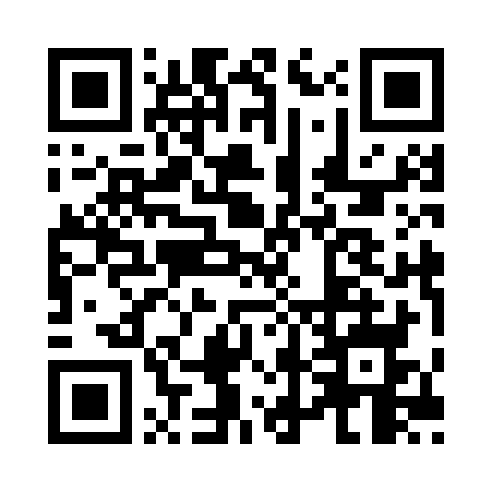
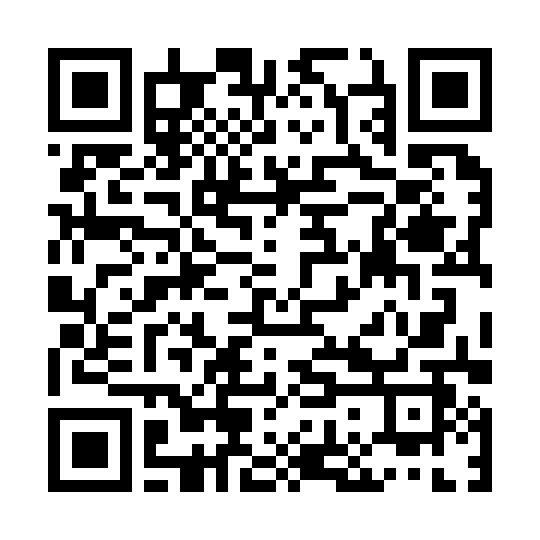
Variants A and B decode without any problem on a phone. A QR code that scans is not necessarily a correct one.
What the checks report after the correction
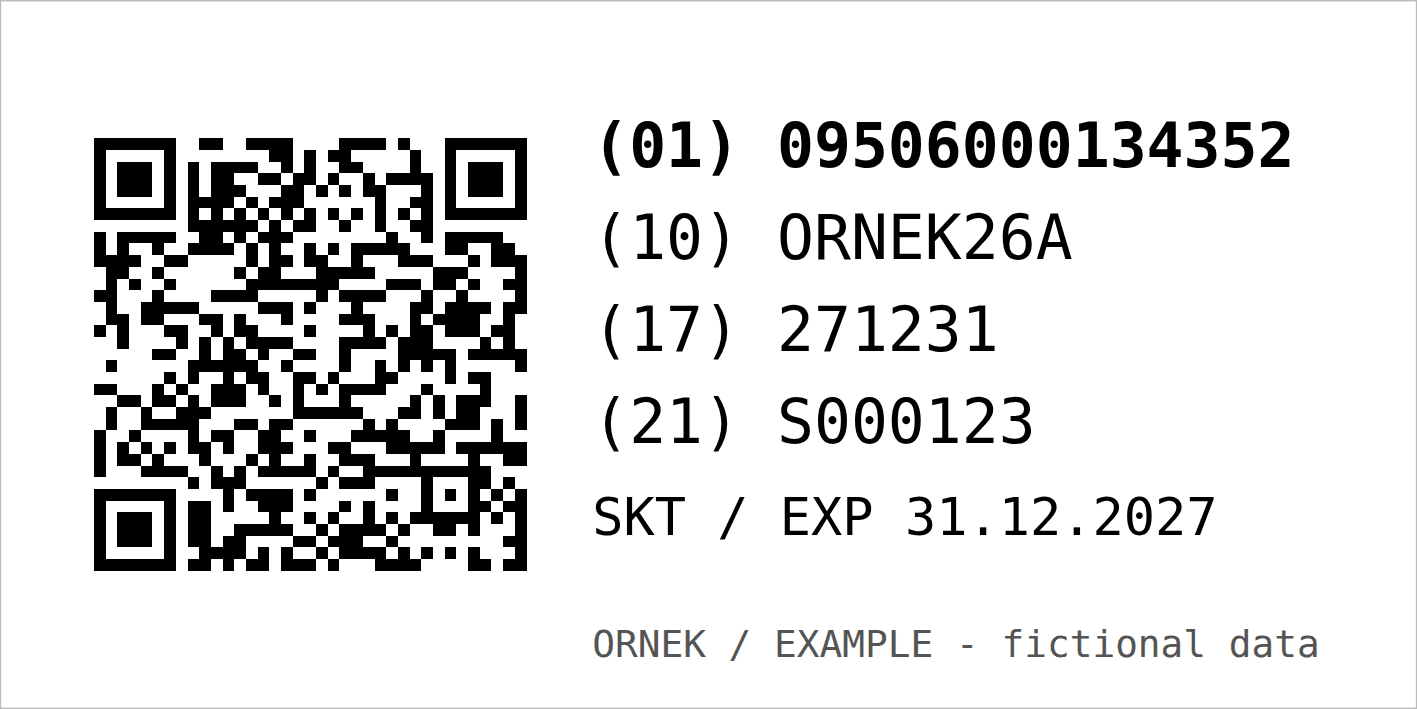
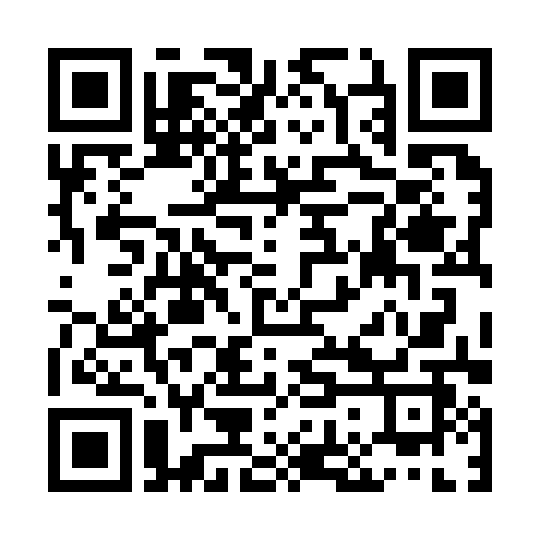
The corrected address is https://id.example.com/01/09506000134352/10/ORNEK26A/21/S000123?17=271231. It passes both validators, and the generated symbol decodes back to exactly this address.
| Measured | Value | GS1 requirement |
|---|---|---|
| QR code | Version 5, error correction level M, 37 × 37 modules | — |
| X-dimension | 0.495 mm | 0.396–0.990 mm, target 0.495 |
| Symbol size | 18.315 mm; 22.275 mm with quiet zone | follows from X and data |
| Quiet zone | 4X = 1.98 mm on all sides | 4X on all four sides |
| Label | 60 × 30 mm, with (01), (10), (17), (21) and the expiry date in text | human-readable text near the symbol |
| Label rendered at 600 dpi, measured | symbol 18.33 mm, quiet zone 1.98 mm | — |
| Decoded back (zxing-cpp 3.1.1) | QR PNG and label render: text identical to the intended address | — |
| Example linkset vs. GS1 linkset schema | 0 errors (a deliberately broken copy: 1 error) | — |
GS1 suggests writing the scheme and domain in capitals to make the symbol smaller. In this example, with segno 1.6.6, it made no difference: both spellings gave version 5 at level M. The linkset uses link types checked against the GS1 Web Vocabulary: default link, product information page, instructions, sustainability information, and — at batch level — recall status and safety information.
What the checks do not report
A clean report says the data and the artwork follow the rules. It does not say the printed pack will scan everywhere.
Print quality
No ISO/IEC 15415 grading was done. Ink spread, substrate, curvature and contrast on the real pack are measured with a verifier after printing. The render above was checked on screen, not as a press proof.
Whether the GTIN is yours
The validators check format and check digit. They do not check that the number is licensed to your company in the GS1 registry. The example number belongs to GS1 and is for demonstrations only.
The live resolver
The example domain does not resolve. The linkset follows GS1’s schema, but redirect behaviour, link types on request and content negotiation were not tested against a running resolver.
Real checkouts
No point-of-sale scanner was tested. Whether a retailer’s system already reads Digital Link QR codes is for the retailer to confirm. My validator covers GTIN-based addresses; other GS1 keys go through the Syntax Engine only.
Download the files and check them yourself
The ZIP contains the correct QR code (SVG and PNG), the label SVG and its 600 dpi render, the two wrong QR codes, the validator, the command-line wrapper for the GS1 Syntax Engine, all eleven test variants, the validator, engine and decode reports, the example linkset and a machine-readable summary.
| File | What it is | Size |
|---|---|---|
| Worked example (ZIP) | QR and label files, test variants, validator, reports, linkset, findings | 80 KB |
| Label render (PNG) | The 60 × 30 mm label at 600 dpi | 67 KB |
| Corrected QR code (PNG) | Variant K, with quiet zone | 6.7 KB |
| Variant A (PNG) | Marketing URL without GTIN | 6.6 KB |
| Variant B (PNG) | Wrong check digit | 6.7 KB |
Scan the three QR images with your phone: all three open an address. Only one of them is a valid GS1 Digital Link.
What you receive
You receive GS1 Digital Link addresses and symbols that pass the checks, print-ready artwork at a stated size, and a plain list of what has to be verified on the printed pack.
- A table of GS1 Digital Link URIs per product (and per batch or serial pattern, if you use them), with the equivalent GS1 element string for your ERP or printer.
- QR codes as SVG (sized in millimetres) and PNG, with the quiet zone included.
- Label or pack-area artwork as SVG or PDF at physical size, with human-readable text, ready for your designer or printer.
- For variable data (batch, expiry, serial): a template and a data specification your label printer or coding system can fill.
- A resolver linkset (JSON) and a redirect table for your web developer.
- Validation and decode reports for every symbol, and a list of the checks that must happen on the press.
How the work runs
You send one real product first; the price is fixed before any work starts.
- Send one product. The GTIN, a photo or PDF of the pack, and what you want the code to carry and link to. I tell you what is missing — including anything GS1 Türkiye or your printer has to provide.
- You receive a scope and a fixed price for the set of products or the template, before anything starts.
- I do the work. You receive preview files marked as proofs, with the validation and decode reports, to check with your designer and printer.
- Your approval releases the final files, the linkset and the report.
Pricing
I price each job after I have seen the material. Ten static QR codes for ten GTINs are a different job from a variable-data label template with batch, expiry and serial numbers for a coding printer. You get a fixed price for the set before any work starts — no hourly meter.
Why this matters now
Retail is preparing its checkouts to read 2D barcodes by the end of 2027. This is an industry goal, not a law, and linear barcodes stay. But packs designed today will still be on shelves then.
- Ambition 2027. GS1’s 2D Barcodes at Retail Point-of-Sale Implementation Guideline states the goal as “retail point-of-sale (POS) scanning to be globally capable of reading and processing the GTIN from both existing linear and 2D barcodes by the end of 2027”. The same guideline says linear barcodes “will not go away and will coexist with 2D barcodes for as long as there are uses for them”. In the US this is usually called “Sunrise 2027”.
- Türkiye. GS1 Türkiye describes the transition on its site: manufacturers will integrate QR codes following GS1 standards into their packaging, and retailers will update their checkout systems to read them (GS1 Türkiye; see also its 2D barcode page). Neither page states a date for Türkiye; the 2027 figure above is GS1’s global goal.
- The standard is current. The URI syntax had releases in 2025 and July 2026, the resolver standard in August 2026. Building to the current version now avoids reprinting later.
Whether a specific retailer already requires 2D codes is a question for that retailer; your GS1 member organisation can tell you about national plans.
Frequently asked questions
Do I still need the EAN barcode?
For now, yes in most cases. GS1’s guideline expects linear barcodes and 2D codes to coexist, and not every checkout reads 2D codes yet. Many brands print both during the transition; whether and when you can drop the linear barcode is something to agree with your retailers.
Where do I get GTINs?
From GS1: in Türkiye from GS1 Türkiye, elsewhere from your national GS1 organisation. The numbers are licensed to your company. I build the codes from the GTINs you already hold and do not supply numbers.
Can the QR code point to our normal website?
Yes. The domain in a GS1 Digital Link is your choice, for example a subdomain of your website. Behind it a resolver or a set of redirect rules sends each scan to the right page; the linkset I deliver describes those links.
Do batch and expiry have to be in the QR code?
No. A code with only the GTIN is valid and can stay the same for years. Batch, expiry or serial are added when you want them machine-readable, for recalls or stock rotation — they then need variable printing on each pack or batch.
How small can the QR code be?
For retail checkouts, one square (the X-dimension) must be at least 0.396 mm, with a margin of four squares around it. The total size depends on the data: in the worked example, 37 × 37 squares at 0.495 mm gave 18.3 mm, or 22.3 mm with the margin.
Can you check the QR codes we already print?
Yes. Send a photo or the artwork file. You get the decoded content, the validation result with the failed rule in plain language, and the measured size if the artwork is to scale.
Is a validated code guaranteed to scan at every checkout?
No. A validated code follows the GS1 syntax and size rules. Print quality on the real pack, the retailer’s scanner software and its settings are outside the file; print quality is measured with a verifier after printing.
Related services
Send me one product
One product — the pack you are redesigning, or the QR code you already print. You get back a straight account of what a correct GS1 Digital Link needs, and what has to be checked on the press.
Ali Karabüyük · Tekirdağ, Türkiye · working remotely with clients worldwide · document and image production since 2004, professional practice since 2008.