
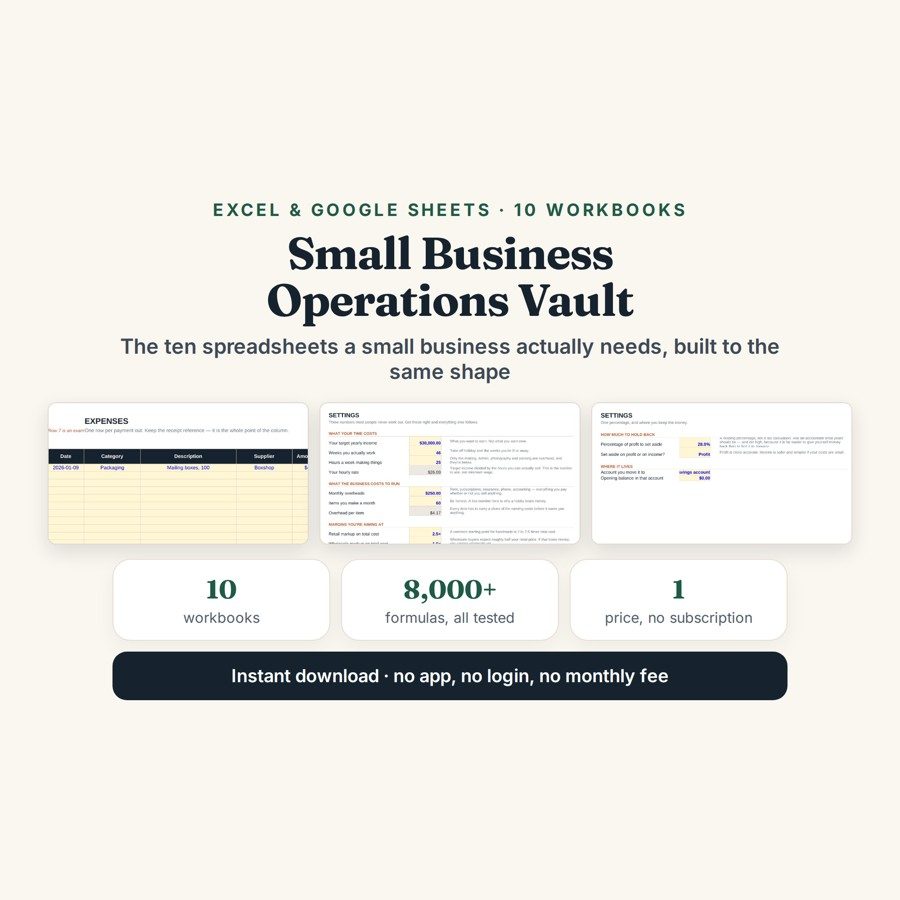
Small Business Operations Vault — 10 Templates
The Small Business Operations Vault is ten separate Excel and Google Sheets workbooks — ledger, invoicing, pricing, cash flow, stock, orders, clients, break-even, tax and subscriptions — built to one standard.
Most template bundles are ten copies of the same idea. The other common failure is the opposite: a 26-tab mega-file, which is how people stop using spreadsheets in February. This is ten separate files doing ten different jobs, each one small enough that you will actually open it twice.
What is in it
- Income & Expense Ledger and Invoice Generator — every payment in and out, categorised, and invoices raised from the file itself.
- Product Cost & Pricing and Break-even Planner — what a unit really costs you to make and what it therefore has to sell for, then how many of them cover your fixed costs.
- Cash Flow Forecast and Tax Set-Aside Tracker — money due in against money due out, and the share of each payment you should not be treating as yours to spend.
- Stock & Inventory and Order Tracker — what you are holding, and where each order has got to.
- Client & Enquiry Tracker and Subscription Audit — who has asked but not yet bought, and every recurring charge you are paying, priced by the year. The subscription file is usually the fastest money you will find.
- Over 8,000 formulas across the ten workbooks, with one colour code throughout: a yellow cell with blue text is yours to type in, a shaded grey cell is calculated and left alone, a red number is something worth looking at before you carry on, and the green number is the headline figure of that tab.
Who it is for
Anyone running a small business who is tired of buying one template at a time — and anyone who has already downloaded a 26-tab mega-file and never opened it again. It is not accounting software: no bank feed, no reconciliation against a statement, no double entry and no audit trail.
The worked example
There is no single worked example here, because there is no single file. Each of the ten workbooks carries its own, and every one of them ships twice: one copy with that example already entered so you can see what each column expects, and the same file completely blank for your own figures.
What the ten share is the colour code and the arithmetic behind it. Yellow cells with blue text are the only ones you type into; shaded grey cells are calculated and left alone; a red number is flagged as worth looking at before you carry on; and the green number is the headline of that tab — the profit, the break-even quantity, the closing cash position, the amount to set aside. Across the set that comes to over 8,000 formulas you never have to write yourself.
How it works
Compatible with Microsoft Excel 2016 or newer on Windows or Mac, Google Sheets, and LibreOffice. No macros, no add-ons, no account to create, nothing to install.
The download is two files: the Start Here guide as a PDF, and all ten workbooks in one .zip. Every workbook ships twice — one copy with its example already filled in, so you can see what each column expects, and the same file completely blank for your own figures. Order on WhatsApp — $9
Orders are taken on WhatsApp: message me and I’ll send the payment details, then the files as soon as the payment is confirmed.
Questions people actually ask
What are the ten templates in the bundle?
They are the Income & Expense Ledger, Invoice Generator, Product Cost & Pricing, Cash Flow Forecast, Stock & Inventory, Order Tracker, Client & Enquiry Tracker, Break-even Planner, Tax Set-Aside Tracker and Subscription Audit. Each is a separate workbook rather than a tab in one file, and together they hold over 8,000 formulas. They are deliberately ten different jobs rather than ten versions of the same one.
Is this better than buying the templates I need one at a time?
It is for anyone who already knows they need several of them, since the ten are built to the same standard and use the same colour code throughout. If you only need one specific tracker, buy that one instead — this bundle is aimed at people tired of buying a template at a time and relearning a new layout each time.
Where should I start if I have no records yet?
Start with the Income & Expense Ledger and the Subscription Audit, in that order — one gives you a baseline and the other usually finds money in the first hour. Each workbook ships twice, once with a worked example already filled in and once blank, and a plain-English Start Here guide comes as a PDF. You do not have to set all ten up before any one of them is useful.
Do I need Excel for all ten?
No — all ten are .xlsx and every formula works in Google Sheets once you upload a file and open it with Sheets. Excel 2016 or newer runs them on Windows and Mac, and LibreOffice opens them too. There are no macros, no add-ons and no account to create.
Will it do my accounts or my tax return?
No — it is not accounting software and it does not calculate your tax. There is no bank feed, no reconciliation against a statement, no double entry and no audit trail in any of the ten. The Tax Set-Aside Tracker records what you decide to put aside; it does not work out what you owe, and nothing in the set can see your bank account.
Need it built around your business?
Ten general files cover most of a small business, but not the part that is specific to yours. If you need one of these rebuilt around how you actually price, invoice or hold stock — or an eleventh file the set does not include — I can build it around your own figures.
All other templates are listed on the Excel & Google Sheets Templates page.