
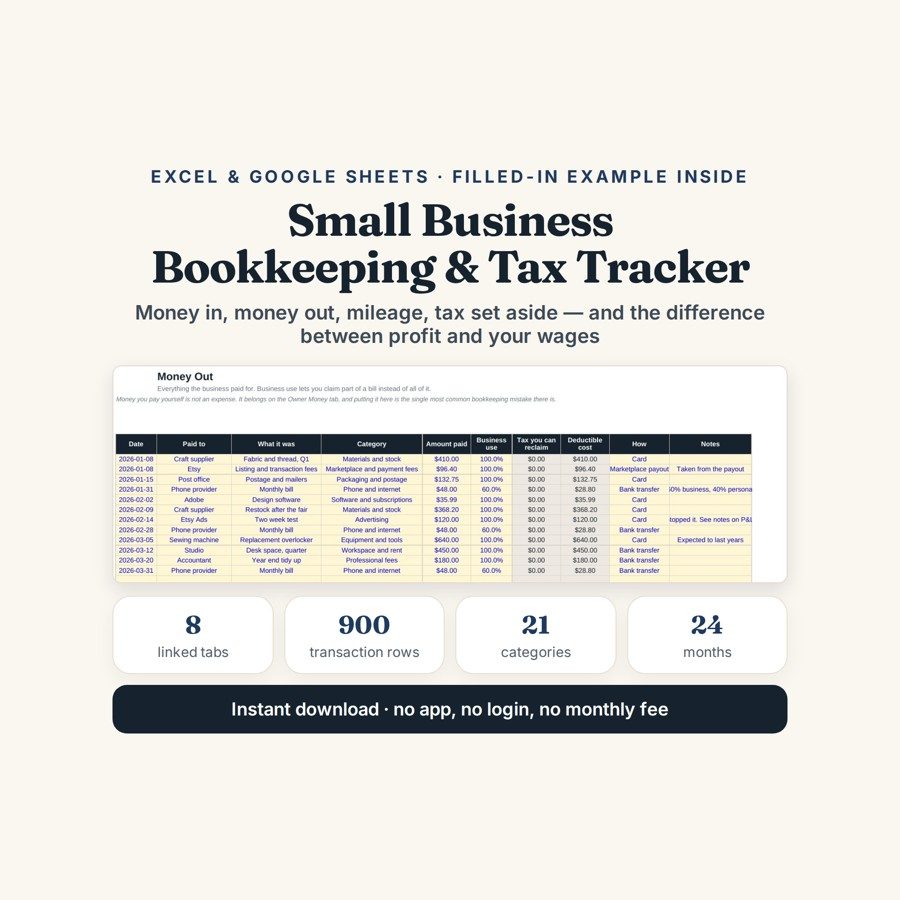
Small Business Bookkeeping & Tax Tracker
This small business bookkeeping spreadsheet keeps sales, costs, mileage and owner drawings in one ledger, and turns them into three figures: profit before tax, the tax you should have set aside, and what you have actually moved.
Most small businesses do not fail at bookkeeping because it is hard. They fail because it is done in three places — a banking app, a shoebox and a memory — and none of them agree at year end. The other quiet failure is money the owner pays themselves being logged as a business cost, which on its own is enough to make both the profit figure and the tax owed on it wrong.
What is in it
- Eight tabs: Start Here, Setup, Money In, Money Out, Mileage, Owner Money, Month by Month and Categories.
- Money In — 400 rows for sales, payouts, wholesale and workshops, all in one ledger instead of three.
- Money Out — 500 rows across 15 categories, with a business-use percentage column so a mixed-use cost only counts for the share that is actually business.
- Mileage — 200 journeys, priced at the rate you enter yourself on the Setup tab.
- Owner Money — 100 owner movements, money taken out and money put in, kept out of expenses entirely so paying yourself never distorts the profit line.
- Month by Month and Categories — 24 months and 21 categories, roughly 900 rows of capacity in total, all summarising themselves from the ledgers underneath.
Who it is for
Sole traders, freelancers and people running a small limited company who keep their own books. It suits anyone who needs a profit figure and a tax figure more often than once a year, and who would rather type a dozen lines a month than reconstruct twelve months of them the week before a filing deadline.
The worked example
The file arrives with a full worked quarter already entered: nine sales, twelve costs, five journeys and four owner movements. It is deliberately small enough to read line by line, so you can follow one expense from its Money Out row, through its business-use percentage, into the category total and out again on the summary — before you type anything of your own.
The Setup tab reduces that quarter to three lines: profit before tax, the tax you should have set aside, and what you have actually moved. In the worked example the last of those is positive — money has genuinely been put aside — and the tax pot is still short by $1,027.59. That gap is the position almost every small business is in, and almost none of them can see it until the return is being filled in.
How it works
Compatible with Microsoft Excel 2016 or newer on Windows or Mac, Google Sheets, and LibreOffice. No macros, no add-ons, no account to create, nothing to install.
The download has two workbooks: one with the example above already filled in, so you can see what every column expects, and the same file completely blank for your own figures. A plain-English guide comes as a PDF. Order on WhatsApp — $9
Orders are taken on WhatsApp: message me and I’ll send the payment details, then the files as soon as the payment is confirmed.
Questions people actually ask
What does this small business bookkeeping template actually work out?
It works out three figures for the period: profit before tax, the tax you should have set aside on it, and what you have actually moved into a tax pot. Income, expenses, mileage and owner drawings all feed those three lines from a single ledger. In the worked quarter the tax pot comes out $1,027.59 short.
Is this suitable for a sole trader or a freelancer?
Yes — it is built for sole traders, freelancers and small limited company owners who keep their own books. Money In holds 400 rows and Money Out 500 across 15 categories, which covers a full year of trading for most one-person businesses. Owner Money is a separate tab, so paying yourself is never counted as a business expense.
I have not kept any records this year — can I still use it?
Yes — you can work backwards from bank statements, one line per transaction, and the summaries build themselves as you type. With 400 income rows, 500 expense rows and 24 months of tracking there is room for a year without splitting the file. Keep the worked-example copy open next to the blank one so you can see what each column expects.
Does it work in Google Sheets, or do I need Excel?
It works in both — the file is built as .xlsx and opens in Google Sheets through File, then Import, then Upload, choosing Replace spreadsheet, with every formula carrying over. Excel 2016 or newer works on Windows and Mac, and LibreOffice opens it too. There are no macros and no add-ons, so nothing gets blocked on a locked-down work laptop.
Is this accounting software? Will it file my tax return?
No — it is a spreadsheet, not accounting software, and it files nothing. It does not know your country's tax rules, does not value stock, does not raise invoices and does not handle VAT returns; you set the tax percentage and the mileage rate yourself. It also handles one currency only, and it never connects to a bank — the file stays on your own computer.
Need it built around your business?
The file assumes one business, one currency, and a tax set-aside you work out as a percentage. If yours is more complicated — two trading names sharing a set of books, VAT to separate out, stock that has to be valued, or an accountant who wants the year handed over in a particular layout — I can rebuild the same ledger around the way your business actually files.
All other templates are listed on the Excel & Google Sheets Templates page.