
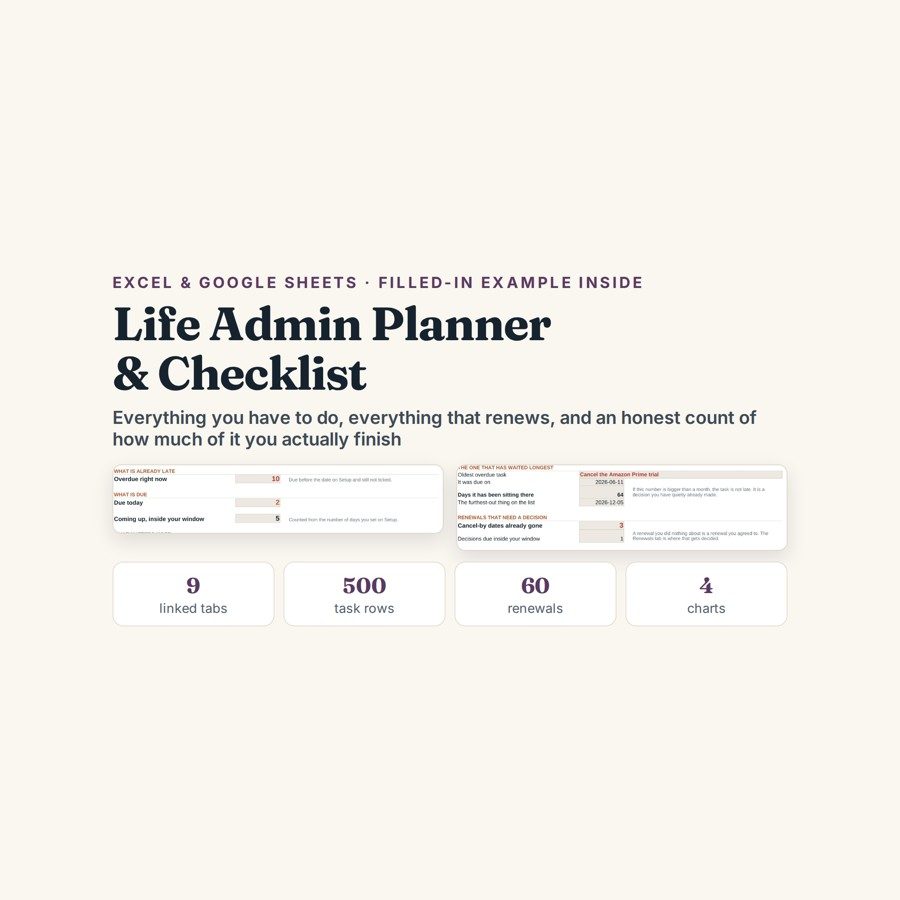
Life Admin Planner & Checklist
This life admin planner keeps every task, project, routine and renewal in one file, built around the cancel-by date rather than the renewal date, with an honest count of how much you actually finish.
Insurance, subscriptions, warranties, passports, standing orders. None of it is hard, and all of it is invisible until the day it is expensive — usually the day after the renewal went through at the new price. The tasks are the same story: they do not get lost, they just never get counted.
What is in it
- Nine linked tabs with a worked household inside: ninety-four tasks, eight projects, fourteen renewals and twenty weeks of review rows.
- Today — what is overdue, what is due today, what is coming up, which Musts are still open, and the oldest thing you still have not done.
- Tasks — 500 rows with task, area, priority, due date, date done and how many days late it was when you finally ticked it.
- Renewals — 60 rows built around the column that actually matters, Cancel by, and the days left until you have to decide.
- Projects and Routines — 60 projects with a next action, a percent done counted off the Tasks tab and a status that tells you when one has stalled; daily, weekly and monthly checklists with a kept percentage.
- Year at a Glance, Week Review and Dashboard — 12 months of tasks due, completed, renewals and expenses; 26 weeks of added, finished, open and on-time; four charts reading the same cells.
Who it is for
Anyone who has ever renewed something late, and any household where the admin is shared but only one person is holding it in their head. It works as well for a single person with fourteen renewals as for a family running eight projects at once, because the six life areas are yours to name in Setup.
The worked example
The worked household inside has ninety-four tasks, eight projects, fourteen renewals and twenty weeks of review rows. The Week Review tab puts its on-time completion at 71.2%, with one of the six life areas down at 50% — which is the figure people avoid, and precisely why that tab exists.
The renewals are where it turns into money. In the example three cancel-by dates have already gone: Amazon Prime renewed at $139, and the contents insurance went from $402 to $486 without anyone agreeing to it. That is the reason the tab counts down to the cancel-by date and not the renewal date — by the renewal date the decision has already been made for you.
How it works
Compatible with Microsoft Excel 2016 or newer on Windows or Mac, Google Sheets, and LibreOffice. No macros, no add-ons, no account to create, nothing to install.
The download has two workbooks: one with the example above already filled in, so you can see what every column expects, and the same file completely blank for your own figures. A plain-English guide comes as a PDF. Order on WhatsApp — $9
Orders are taken on WhatsApp: message me and I’ll send the payment details, then the files as soon as the payment is confirmed.
Questions people actually ask
How do I stop subscriptions and insurance renewing at a higher price?
You track the cancel-by date rather than the renewal date, which is what the Renewals tab is built around: 60 rows, each with a cancel-by date and a countdown of days until you have to decide. In the worked example three of those dates had already passed — Amazon Prime renewed at $139 and the contents insurance went from $402 to $486 with nobody agreeing to it.
Is this for one person or for a whole household?
Either — you name the six life areas yourself in Setup, so they can be one person's or a family's. The worked example runs ninety-four tasks, eight projects and fourteen renewals, and capacity goes to 500 tasks, 60 projects and 60 renewals.
I do not know what all my renewals are yet. Where do I start?
Start with the ones you can see on a bank statement — subscriptions and insurance — and add the rest as they surface; the countdowns work off whatever rows exist. The file ships twice, once with the worked household filled in and once blank, so you can look at a finished Renewals row before you write your own.
Does it need Excel, or will Google Sheets do?
Google Sheets is fine — the file is .xlsx and runs in Sheets and LibreOffice as well as Excel 2016 or newer on Windows or Mac. For Sheets use File, then Import, then Upload and choose Replace spreadsheet, and the Today tab and the four dashboard charts carry over with it.
Does it send reminders or connect to my calendar?
No — it sends nothing, connects to nothing and asks for no account. The Today tab is the reminder: overdue, due today, coming up and the oldest open item, refreshed whenever you open the file. It stores what you type on your own computer or Drive, so no document, policy number or renewal price ever leaves it.
Need it built around your business?
This file assumes one household, six life areas and admin you handle yourself. If yours is bigger — a family office tracking documents and renewals across several households, a small team sharing a task list with someone accountable per line, or a landlord who needs certificates and inspection dates on the same countdown — I can rebuild the same file around what you have to keep track of.
All other templates are listed on the Excel & Google Sheets Templates page.