
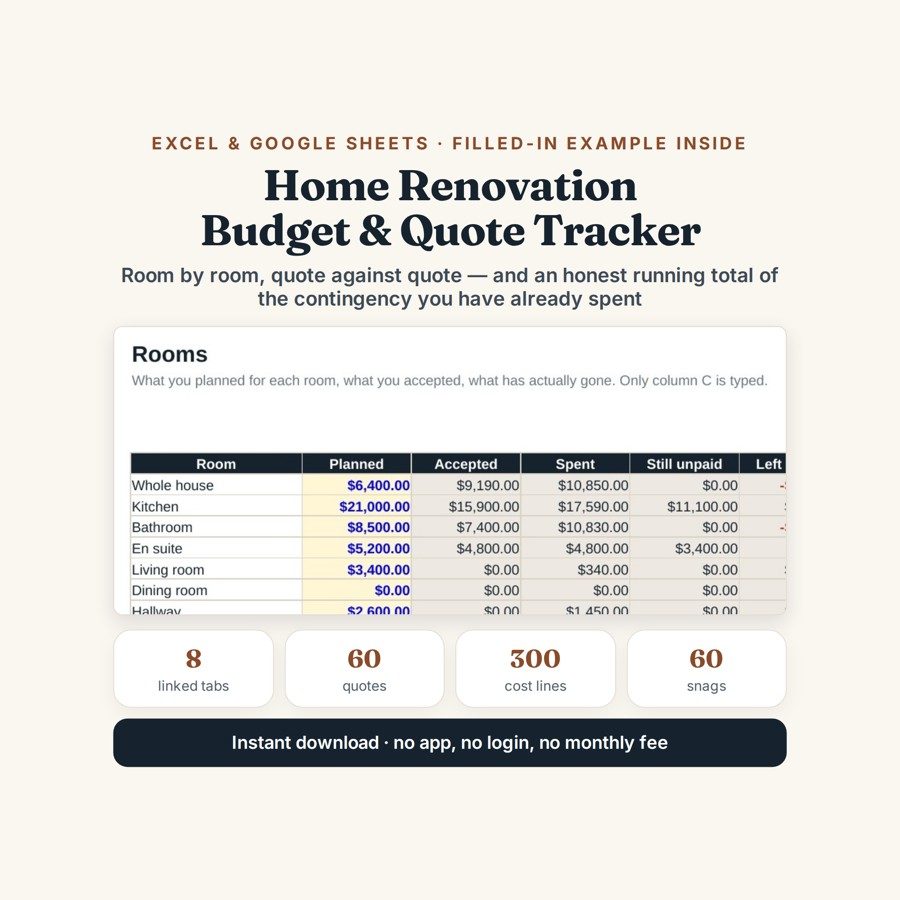
Home Renovation Budget & Quote Tracker
This home renovation budget tracker compares quotes line by line, then follows the money room by room until the last snag is closed.
Three quotes for the same job are almost never for the same job: one includes materials, one does not, and the cheapest one has a line nobody read. Then the work starts, changes get agreed standing in a doorway, and by month four the only honest question is how much of the contingency is left. This file answers that from the payments you have actually made.
What is in it
- Eight linked tabs, from START HERE to SNAGS, with a six-month job filled in as a worked example.
- SETUP — four cells: start date, finish date, total budget and the contingency percentage everything else counts down from.
- ROOMS — 15 rooms, each with Planned, Accepted, Spent, Still Unpaid and Left; a room that goes over shows in red.
- QUOTES — 60 lines, room for three quotes per job, a column for whether tax is included and how many weeks until that trade can start.
- COSTS and PAYMENTS — 300 cost lines tagged by room and trade from dropdowns, and 100 payments sorted by due date that turn amber inside 30 days and red once overdue.
- CHANGES and SNAGS — 40 changes with what changed, what it cost, who decided it and whether it was agreed in writing; 60 defects with who is responsible, when it was reported and how many days it has been open, red after 30.
Who it is for
Anyone renovating their own home with more than one quote on the table, and anyone project-managing trades directly instead of handing the whole job to one contractor. It is equally the file for the second half of a job, when the quotes are settled and the question has become which room went over and why.
The worked example
The example inside is a house about four months into a six-month job: 18 quotes collected, 21 payments made, 7 changes and 7 snags. Two rooms are already over budget, and the contingency — fifteen per cent held back at the start — is down to 21%. On the kitchen, the cheapest quote in the file is $14,750 against $15,900, and the QUOTES tab shows what each one does and does not include before you accept either.
The CHANGES tab is where the example earns its place. It carries $7,310 of changes so far, of which the owner chose $5,480 — the rest arrived with the job, once the walls were open. Two of those changes were never agreed in writing, which the tab records rather than hides, and the electrical certificate has now been outstanding for 47 days, which is why the final payment is still being withheld.
How it works
Compatible with Microsoft Excel 2016 or newer on Windows or Mac, Google Sheets, and LibreOffice. No macros, no add-ons, no account to create, nothing to install.
The download has two workbooks: one with the example above already filled in, so you can see what every column expects, and the same file completely blank for your own figures. A plain-English guide comes as a PDF. Order on WhatsApp — $9
Orders are taken on WhatsApp: message me and I’ll send the payment details, then the files as soon as the payment is confirmed.
Questions people actually ask
How do I compare three renovation quotes that are not for the same job?
You put them on the same rows and compare line by line rather than headline to headline. The QUOTES tab holds 60 lines with room for three quotes per job, a column for whether tax is included and how many weeks until that trade can start, so the gaps show up before you accept anything. In the worked example the cheapest kitchen quote is $14,750 against $15,900.
Is this for a whole house or a single room?
Both — the ROOMS tab holds up to 15 rooms, and a one-room job simply uses one of them. Every cost line is tagged by room and by trade, so a kitchen-only project still gets its budget, its accepted quotes, its unpaid balance and its snag list.
I have not got any quotes yet. Is it too early to buy it?
No — the earliest use is the QUOTES tab, before a single payment exists. Fill SETUP with your start date, finish date, budget and contingency percentage, then enter quotes as they arrive; the ROOMS and PAYMENTS tabs stay empty until there is something to put in them.
Does it work in Google Sheets?
Yes — it is built as .xlsx and opens in Google Sheets and LibreOffice as well as Excel 2016 or newer on Windows or Mac. For Sheets, use File, then Import, then Upload and choose Replace spreadsheet; the dropdowns and the red and amber highlighting come across with it.
Will it tell me whether a quote is fair?
No — it cannot price your job and it does not know your local building rules. It does not schedule the work either, and it handles no VAT, CIS or reclaim. What it does is hold 15 rooms, 60 quotes, 300 cost lines, 100 payments, 40 changes and 60 snags in one place and keep the arithmetic honest, for about two minutes of typing a week.
Need it built around your business?
This file assumes one property, one budget, and trades who quote and invoice you directly. If your job runs differently — a single main contractor pricing the whole thing, several flats being refurbished at once, a rental you are renovating for yield, or a build where VAT and reclaims are part of the arithmetic — I can rebuild it around your contracts and your payment stages.
All other templates are listed on the Excel & Google Sheets Templates page.