
Wedding Budget & Vendor Payment Tracker
This wedding budget tracker adds up every vendor contract, every deposit paid and every balance still due, and shows which categories have already gone over budget.
No single vendor blows a wedding budget. It goes a few hundred dollars at a time, across a dozen contracts, each with its own deposit and its own balance due date, until the total quietly passes the number you started with. This file adds all of them up in one place and tells you where you stand before the next balance falls due.
What is in it
- Five tabs and 249 formulas, from Start Here through to the Dashboard.
- Setup — the couple’s names, the wedding date, and the total budget everything else is measured against.
- Vendors — one row per contract: category, contract total, deposit paid, deposit due date, balance owed and balance due date. Balance owed and status calculate themselves.
- Budget — what you meant to spend per category against what the signed contracts actually total, pulled in automatically. Over-budget categories show in red.
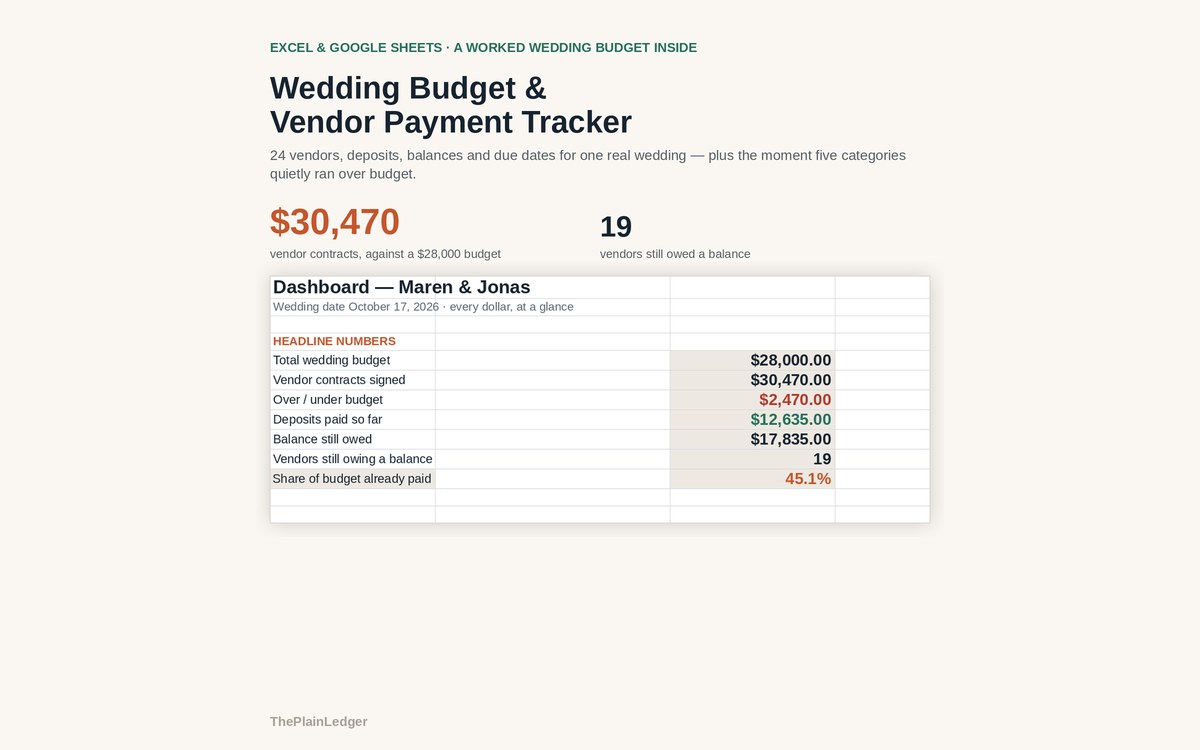
- Dashboard — total budget, contracts signed, over or under, deposits paid, balance still owed, budget against actual by category, and every upcoming payment sorted by due date.
- Start Here — what to fill in, in what order, in three steps.
Who it is for
Couples who plan the rest of the wedding somewhere else — a binder, a planning app, a shared note — but want the money in one place. It is also the file to open in front of a parent or anyone else contributing, because it shows what has been committed and what is still owed without pulling out a single contract.
The worked example
The example inside is Maren & Jonas: a $28,000 budget and 24 vendors, from the venue down to the favours. Once every contract is written down in one place, the signed total comes to $30,470 — a number no individual invoice ever shows you.
Five categories ran over, led by Attire & beauty at $810 over and Photography & video at $550 over. $12,635 has already gone out in deposits, and $17,835 is still owed across 19 vendors, each with its own due date between now and the wedding day.
How it works
Compatible with Microsoft Excel 2016 or newer on Windows or Mac, Google Sheets, and LibreOffice. No macros, no add-ons, no account to create, nothing to install.
The download has two workbooks: one with the example above already filled in, so you can see what every column expects, and the same file completely blank for your own figures. A plain-English guide comes as a PDF. Order on WhatsApp — $9
Orders are taken on WhatsApp: message me and I’ll send the payment details, then the files as soon as the payment is confirmed.
Questions people actually ask
Is this a wedding planner spreadsheet?
No — it is a money tracker, not a wedding planner. There is no guest list, seating chart or day-of itinerary in it, deliberately. It tracks vendor contracts, deposits paid, balances owed and due dates, and nothing else.
How many vendors can I put in it?
One row per vendor contract, with no practical limit on rows. The worked example comes with 24 vendors already filled in, from the venue down to the favours, so you can type over those or start clean in the blank workbook.
Will it tell me if I am over budget?
Yes — the Budget tab puts what you planned to spend per category next to what your signed contracts actually total, and over-budget categories show in red. In the worked example a $28,000 budget meets $30,470 in signed contracts, with five categories over.
Do I need Excel to use it?
No — it is built as .xlsx but runs in Google Sheets and LibreOffice too. For Google Sheets use File, then Import, then Upload, and choose Replace spreadsheet; the formulas carry over. Excel 2016 or newer works on both Windows and Mac.
Does it connect to my bank or send payment reminders?
No — it never connects to a bank, a card or a vendor account, and it sends no reminders. You type the contracts in yourself and the file stays on your own computer or Drive. It does list every balance in due-date order, so you can set your own reminders from it.
Need it built around your business?
This file assumes one couple, one budget, and vendors who take a deposit and then a balance. If your wedding works differently — two families each funding their own categories, a planner invoicing everything through one account, payments in instalments rather than deposit-and-balance — I can rebuild the same arithmetic around the way your contracts are actually written.
All other templates are listed on the Excel & Google Sheets Templates page.