
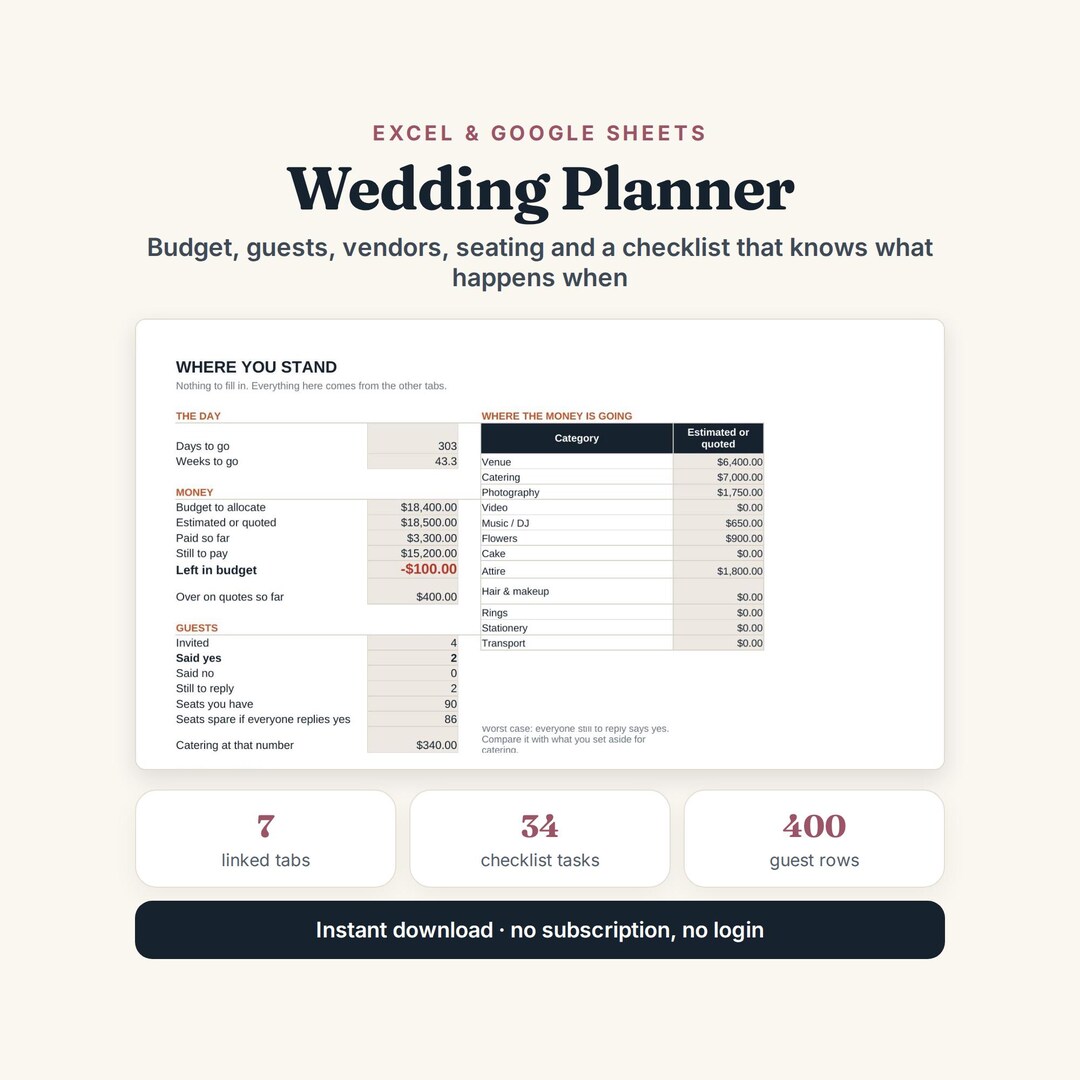
Wedding Planner Spreadsheet — Budget, Guest List and Seating
One file instead of six notes apps and a group chat. Seven tabs that actually talk to each other: change the guest count and the budget, the seating and the catering figure all move with it.
No single vendor blows a wedding budget. It goes a few hundred at a time, across a dozen contracts, until the total quietly passes the number you started with.
What is in it
- Settings — the date, the budget and how many people you can seat. Everything else reads from here.
- Budget — estimate, quote, paid so far, still to pay, and the over/under column where the truth lives.
- Guests — 400 rows, one per person, with RSVP, meal, table and thank-you sent.
- Vendors — quotes, deposits, balances, due dates, and a flag for booked but not signed.
- Checklist — 34 tasks in the order they usually need doing, from twelve months out to the day after.
- Seating — 30 tables, counting who you have assigned and warning when one is over.
- Overview — days to go, money left, replies outstanding, and what needs doing today.
The contingency most planners leave out
Almost every wedding overruns somewhere. This one holds a percentage back before it lets you allocate anything — 8% by default, your number to change. On a $20,000 total that is $1,600 held back and $18,400 to allocate, and every figure on the Overview tab measures against the allocated number rather than the total. If you genuinely do not overrun, you finish with money left, which nobody has ever regretted.
Estimate, quote and paid, kept separate
Put your estimate in before you ask anyone. When the quote comes back, the over/under column turns red or green, and the Overview tab adds every overrun into one figure. Small overruns hide otherwise, and small overruns are what break a wedding budget — rarely one big surprise, usually three quiet ones.
The guest count decides everything
Not one decision but all of them: catering per head, which venues you can even consider, how many invitations and favours you order, how many tables you hire. So the file prices the worst case for you — what catering costs if everyone still outstanding says yes — and tells you how many seats are left. Ten extra guests is rarely ten extra plates; it is often a bigger room.
How it works
Compatible with Microsoft Excel 2016 or newer on Windows or Mac, with Google Sheets, and with LibreOffice Calc. No macros. A table over capacity turns red, and so does a vendor balance whose due date has passed.
The download has two workbooks: one with the worked example already in it and one completely blank, plus a Start Here guide as a PDF. Buy it on Etsy — $9
Sold through my Etsy shop, ThePlainLedger, so the download, the payment and the buyer protection are all handled by Etsy.
Need it built around your business?
This file assumes one wedding, one budget and a seated meal. If you are planning a two-day event, splitting the budget between two families, or working in more than one currency, I can build the same seven tabs around that instead.
All other templates are listed on the Excel & Google Sheets Templates page.