
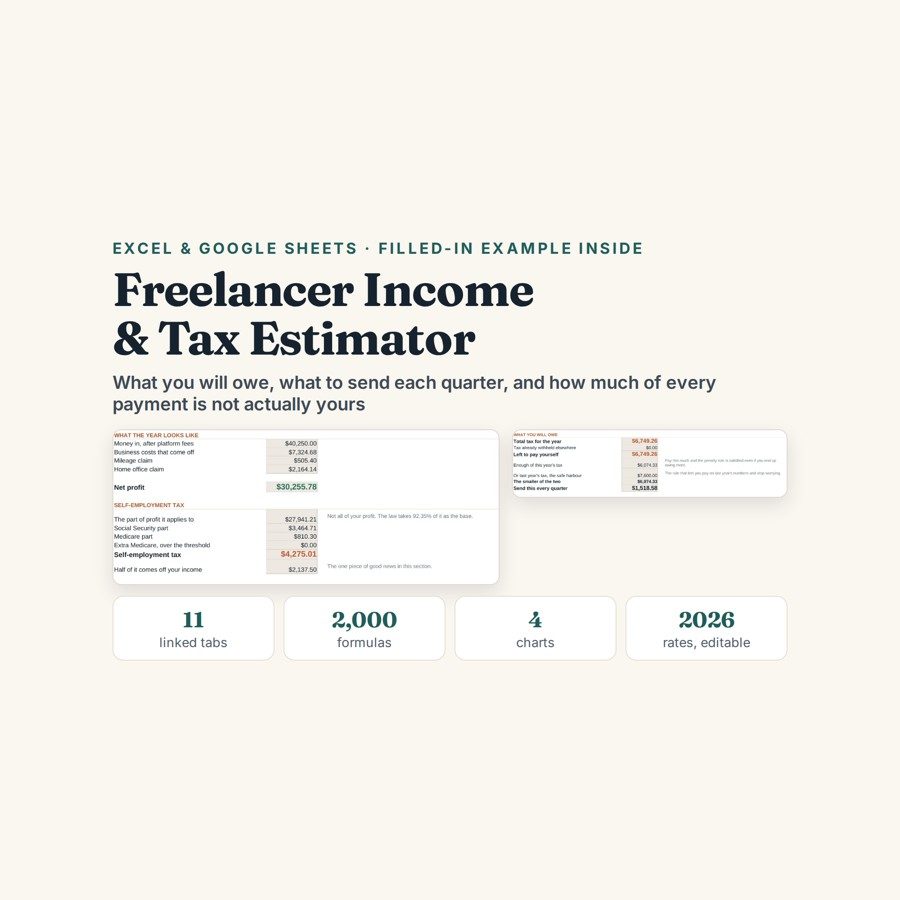
Freelancer Income & Tax Estimator
This freelancer tax estimator works out what you owe as the invoices land — self-employment tax, federal income tax band by band, and the amount to set aside from each payment received.
Freelance income arrives gross and leaves net, and the gap is the part nobody enjoys. The money to cover it is sitting in your account right now, which is exactly why it disappears. A flat percentage set aside is a guess in one direction or the other, and both directions cost you something.
What is in it
- Eleven linked tabs and about 2,000 formulas, with a copywriter’s full year filled in as a worked example.
- Rates and Brackets — 2026 federal figures held in cells you can edit, so the file does not go stale the moment the numbers change.
- Money In — 300 rows: invoiced, the platform or card fee, and what actually reached you. Money Out — 400 rows with a business-share column for the costs that are only partly business.
- Mileage and Home Office — 200 trips at the standard rate, and both the simple and the detailed home office method side by side.
- The Estimate — self-employment tax on 92.35% of profit, the Medicare surcharge, the qualified business income deduction, the standard deduction, and federal income tax worked out band by band.
- Quarters, Set Aside, Month by Month and Dashboard — four payment dates tracked, a set-aside figure per payment received, two years month by month, and four charts.
Who it is for
Freelancers, contractors and the self-employed filing as a sole proprietor or a single-member LLC, who want the number before the deadline rather than after it. It suits anyone paid irregularly — several clients, platform fees, a quiet quarter followed by a loud one — because the estimate is rebuilt from every payment as it lands.
The worked example
The example inside is a copywriter’s full year, entered invoice by invoice and cost by cost. It ends where a freelance year ends: a profit figure, self-employment tax on 92.35% of that profit, the qualified business income and standard deductions applied, federal income tax worked out band by band, and four quarterly payments with their dates against them.
The point the example makes is about the set-aside. Across that year the familiar 30% rule of thumb over-collects by $5,325 — the safe direction, but $5,325 of your own money parked for twelve months for no reason. The Quarters tab also lays out the two safe-harbour routes, 90% of this year or 100%/110% of last year, so you can choose the smaller one on purpose rather than discover it in April.
How it works
Compatible with Microsoft Excel 2016 or newer on Windows or Mac, Google Sheets, and LibreOffice. No macros, no add-ons, no account to create, nothing to install.
The download has two workbooks: one with the example above already filled in, so you can see what every column expects, and the same file completely blank for your own figures. A plain-English guide comes as a PDF. Order on WhatsApp — $9
Orders are taken on WhatsApp: message me and I’ll send the payment details, then the files as soon as the payment is confirmed.
Questions people actually ask
How much should I set aside from each freelance payment for tax?
Enough to cover self-employment tax on 92.35% of your profit plus federal income tax band by band, which is what the Set Aside tab works out per payment rather than as a flat percentage. In the worked year the usual 30% rule of thumb over-collects by $5,325 — safe, but that is your money sitting idle for twelve months. The figure updates every time you add an invoice.
Is it for US federal tax, or will it work anywhere?
It is built for US federal tax as a sole proprietor or single-member LLC: self-employment tax, the Medicare surcharge, the qualified business income deduction and the standard deduction, plus a single state rate cell. The 2026 federal brackets sit in editable cells, so you can update them when the figures change.
I have not tracked anything this year. Can I still get an estimate?
Yes — enter what you have and the estimate builds from those rows. Money In takes 300 invoices with the platform or card fee, Money Out takes 400 costs with a business-share column, and both work half-filled; the estimate simply gets more accurate as you catch up on the year.
Does it need Excel, or does it run in Google Sheets?
Both — the file is .xlsx and runs in Excel 2016 or newer on Windows or Mac, in Google Sheets, and in LibreOffice. For Sheets use File, then Import, then Upload and choose Replace spreadsheet, and the roughly 2,000 formulas, including the band-by-band tax calculation, carry over.
Is this a tax return, or advice?
No — it is an estimate you run yourself, not a return and not tax advice. It leaves out credits, dependents, retirement contributions, depreciation and anything involving more than one business, and it assumes a sole proprietor or single-member LLC. Nothing connects to a bank or the IRS; you type the rows and the file does the arithmetic.
Need it built around your business?
This file assumes one sole proprietor or single-member LLC, one state rate and a straightforward return. If your position is more involved — an S-corp with payroll, two businesses under one return, dependents and credits, retirement contributions or depreciation schedules that change the answer — I can build the same running estimate around the way your income and your entity are actually structured.
All other templates are listed on the Excel & Google Sheets Templates page.