
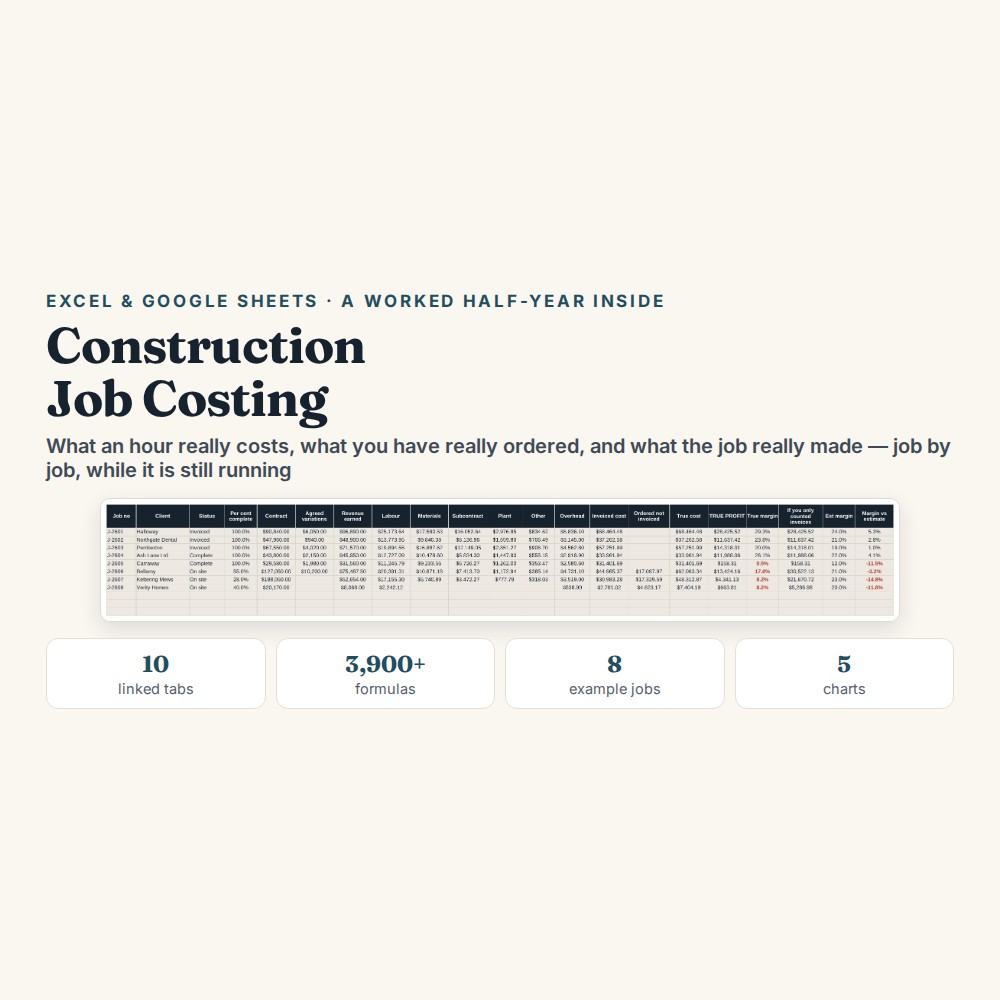
Construction Job Costing Spreadsheet
This construction job costing spreadsheet works out what an hour on site actually costs you, keeps committed and invoiced costs apart, and shows the true profit on every job.
Two things quietly take a small builder’s margin, and neither of them shows up on an ordinary job sheet. Labour gets priced at the wage rather than at what a productive hour really costs, and material orders that have been placed but not yet invoiced leave a live job flattering itself. A job can look fine all year and pay for nothing.
What is in it
- Ten linked tabs and over 3,900 formulas: Setup, Team and Rates, Jobs, Timesheets, Costs, Variations, Invoices and Retention, Job Profit, Dashboard and Start Here.
- Team and Rates — turns a wage into the true cost of a productive hour: employer taxes, pension and liability insurance added on top, then holiday hours and unbillable time taken back off. Change a wage and every open job reprices itself.
- Costs — committed and invoiced sit in separate columns, so a material order placed on day one counts against the job from day one, not five weeks later when the invoice arrives.
- Variations — each one carries a status, and only the agreed ones count towards the contract value.
- Invoices and Retention — retention held back is shown on its own with the date it is due, because five per cent held for a year shows in your profit and not in your bank.
- Job Profit and Dashboard — TRUE PROFIT set beside what an ordinary job sheet would have told you, across five charts. Capacity: 20 people, 30 jobs, 700 timesheet rows, 500 cost lines, 80 variations, 100 invoices, 12 months.
Who it is for
Builders, electricians, plumbers, joiners and anyone running two to twenty people on site. It is built for firms of that size rather than for main contractors, and it is deliberately not accounting software — there is no VAT, no CIS deduction, no payroll run and no bank sync in it.
The worked example
The rate arithmetic is worked all the way through. A carpenter on $24.50 an hour costs $62,171 a year once employer taxes, pension and liability insurance go on top. Take off 224 holiday hours and roughly 15% of the year lost to travel, yard work and weather delays, and only 1,578 sellable hours are left — which puts the true cost of a productive hour at $39.41, sixty per cent above the headline rate.
The sample file is Kestrel Building Ltd: six employees, eight jobs and 448 timesheet lines. One of those jobs was quoted at twelve per cent and delivered no profit at all. The same file shows what committed costs do to a job still running — a $9,000 timber order used on site in week one but invoiced five weeks later makes the job look profitable for a month it never was.
How it works
Compatible with Microsoft Excel 2016 or newer on Windows or Mac, Google Sheets, and LibreOffice. No macros, no add-ons, no account to create, nothing to install.
The download has two workbooks: one with the example above already filled in, so you can see what every column expects, and the same file completely blank for your own figures. A plain-English guide comes as a PDF. Order on WhatsApp — $9
Orders are taken on WhatsApp: message me and I’ll send the payment details, then the files as soon as the payment is confirmed.
Questions people actually ask
How do I work out my true labour cost per hour?
You enter the wage, the employer costs that sit on top of it, the holiday hours and the share of the year that is not billable, and the Team and Rates tab returns the cost of one productive hour. In the worked example a $24.50 wage becomes $39.41 an hour, because only 1,578 of the hours you pay for are sellable. Change a wage later and every open job reprices itself.
Is this any use to a three-man firm?
Yes — it is built for firms running two to twenty people, and the capacity is set at 20 people, 30 jobs and 700 timesheet rows. Builders, electricians, plumbers and joiners are the intended users. It is not designed for main contractors running long subcontract chains.
I have never tracked any of this. Where do I start?
Start with the Team and Rates tab and one job you are running now, not with your back catalogue. The Start Here tab sets out what to fill in and in what order, in plain English. The second workbook arrives with Kestrel Building Ltd already entered — six employees, eight jobs, 448 timesheet lines — so you can see what every column expects before typing a figure of your own.
Will it work in Google Sheets?
Yes — it is built as .xlsx but every formula works in Google Sheets. Upload the file and open it with Sheets; there are no macros or add-ons to break. Excel 2016 or newer runs it on Windows and Mac, and LibreOffice opens it too.
Is this accounting software?
No — it is a job costing file, not a set of accounts. There is no VAT, no CIS deduction, no payroll processing, no bank feed and no double entry in it. It never connects to a bank or an accounting account: you type the timesheets and costs in yourself and the file stays on your own computer or Drive.
Need it built around your business?
This file assumes hourly or day-rate labour, jobs quoted as a lump sum, and retention held at a fixed percentage. If your work runs differently — cost-plus contracts, several trades subcontracted per job, stage applications rather than invoices — I can rebuild the same arithmetic around the way your jobs are actually priced and paid.
All other templates are listed on the Excel & Google Sheets Templates page.