
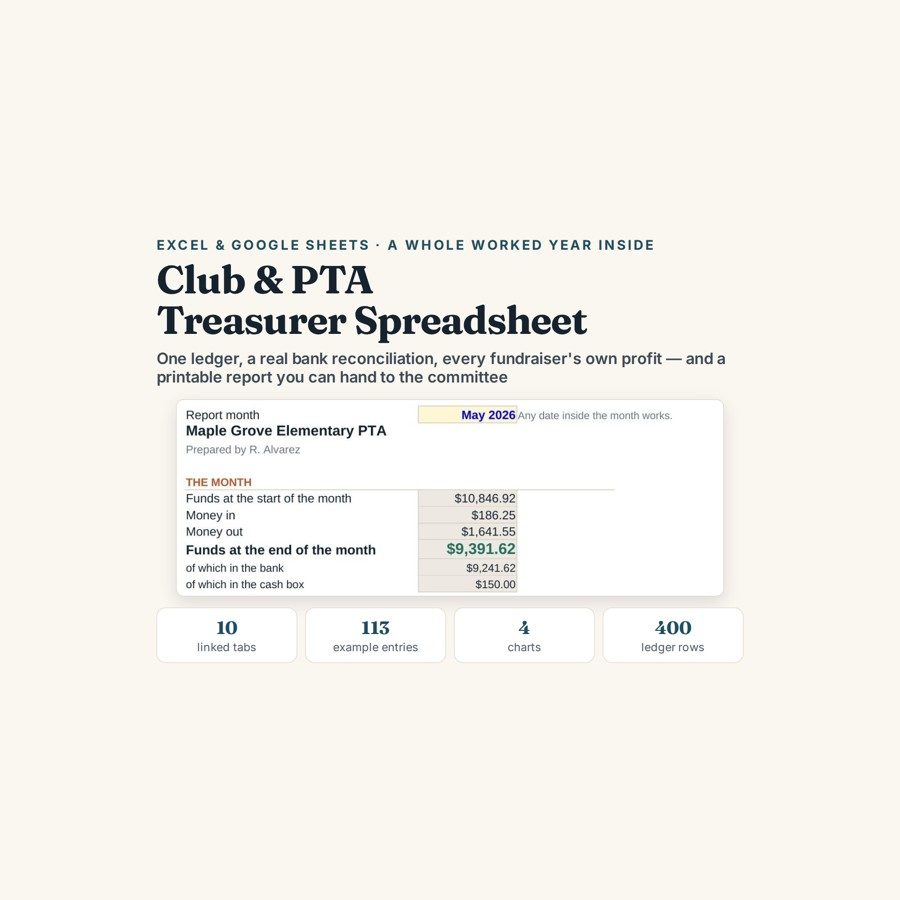
Club, PTA & Nonprofit Treasurer Spreadsheet
This treasurer spreadsheet keeps bank and cash in one ledger, reconciles it down to a single number, and prints a one-page report you can hand to a committee.
Your holiday shop takes $1,310 in cash. A week later somebody walks it to the bank and records a deposit of $1,310, and the books now say the club raised $2,620. Moving your own money is a transfer, not income — it is the quietest error in small-organisation accounts, and it usually lasts a year before anyone notices.
What is in it
- Ten linked tabs: Setup, Transactions, Budget vs Actual, Reconciliation, Fundraisers, Members and Dues, Month by Month, Treasurer’s Report, Dashboard and Start Here.
- Transactions — 400 rows across 22 categories, with bank and cash in their own columns and a Transfer category, so banking your own takings cancels itself out instead of counting twice.
- Reconciliation — a proper reconciliation against the statement that ends in one number, and that number ought to be zero.
- Fundraisers — up to 20 events, each with its own income, its own costs and its own net, so you can say which one was actually worth running.
- Members and Dues — 100 rows showing who has paid, who has not, and a chase list you can work from.
- Treasurer’s Report and Dashboard — a one-page report you can print and sign, plus budget against actual and a month-by-month view across 12 months.
Who it is for
PTA, PTO, booster club, HOA, sports club and small charity treasurers — particularly whoever has just been handed the box file by the last one. It is not double-entry bookkeeping, it is not a tax or charity return, and it does not read your computer’s clock.
The worked example
The transfer trap is worked through with the actual figures. A holiday shop takes $1,310 in cash; a week later it is banked and entered again as a deposit of $1,310, and the accounts report $2,620 raised by an event that raised half that. Logged as a Transfer instead of income, the two entries cancel and the year’s income figure stops being inflated.
The filled workbook carries 113 entries, seven fundraisers and thirty members on the dues list, run through all ten tabs to a signed report. The blank file takes up to 400 transactions across 22 categories, 20 events, 100 members and 12 months, which is a comfortable year for most clubs.
How it works
Compatible with Microsoft Excel 2016 or newer on Windows or Mac, Google Sheets, and LibreOffice. No macros, no add-ons, no account to create, nothing to install.
The download has two workbooks: one with the example above already filled in, so you can see what every column expects, and the same file completely blank for your own figures. A plain-English guide comes as a PDF. Order on WhatsApp — $9
Orders are taken on WhatsApp: message me and I’ll send the payment details, then the files as soon as the payment is confirmed.
Questions people actually ask
How do I stop cash counting twice when I bank it?
You log the banking as a Transfer rather than as income, and the two sides cancel each other out. Bank and cash sit in their own columns, so the money moves between them without the ledger treating it as new income. In the worked example that is the difference between a holiday shop raising $1,310 and the books claiming $2,620.
Will this do for a PTA that raises a few thousand a year?
Yes — it holds 400 transactions, 22 categories, 20 fundraisers, 100 members and 12 months, which covers a normal year for most PTAs, booster clubs, HOAs, sports clubs and small charities. The example workbook runs 113 entries and seven fundraisers, so it is sized for exactly that kind of organisation.
I have just taken over as treasurer and the records are a mess. Where do I start?
Start with the closing balance the last treasurer left and today's bank statement, then enter forward from there rather than trying to rebuild the past. The Start Here tab sets out the fill-in order, and the Reconciliation tab tells you when your ledger and the statement agree by ending in zero. The filled example shows what a finished year looks like before you type anything.
Do I need Excel, or will Google Sheets do?
Google Sheets is fine — the file is .xlsx but every formula works once you upload it and open it with Sheets, which also makes it easy to share with the rest of the committee. Excel 2016 or newer works on Windows and Mac, and LibreOffice opens it too. No macros, no add-ons and no login.
Is this proper accounting software for a charity?
No — it is a treasurer's ledger, not accounting software. It is not double-entry, it does not produce a tax or charity return, and it never connects to a bank account. You type the entries in yourself from statements and receipts, and the file stays on your own computer or Drive.
Need it built around your business?
This file assumes one bank account, a cash float and a committee that wants one page. If your organisation runs restricted funds, several accounts, or a grant that has to be reported on separately, I can build the same ledger and reconciliation around the way your books actually have to be presented.
All other templates are listed on the Excel & Google Sheets Templates page.